Basic Banded Report

Before creating the complete report above, a simple banded report of the Employees table (see figure below) will first be created to enable a new user to quickly become familiar with the process of creating a basic banded report.  This report will then be enhanced to create the report shown in the introduction of this section .
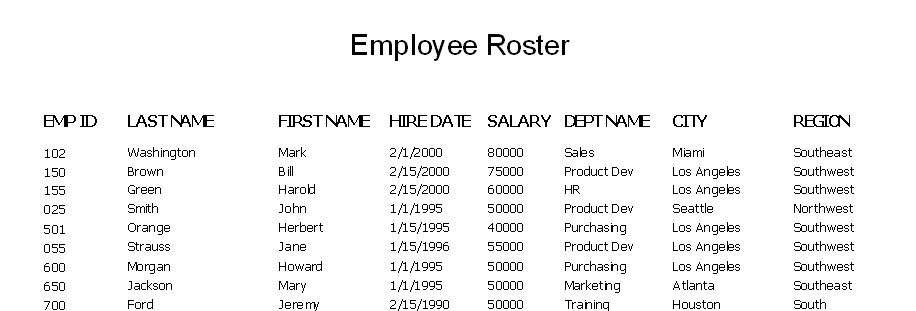
This image shows the basic banded report.  It contains the employee roster with employee id, last name, first name, hire date, salary, department name, city, and region.

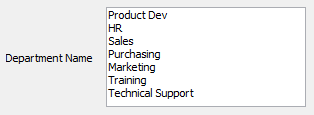
One or more departments can be selected when executing the report.

The DataBlock used for this report.  The DataBlock contains an entry form where you select a deparment from the list of departments.

The DataBlock form is created by the DataBlock Designer.