Product Launcher
Enter the appropriate web address (obtained from your MAPS Administrator) into a Browser to bring up the Product Launcher. You will be prompted to login to the page. Use your Argos username and password to login. Click the Argos button to begin using Argos.
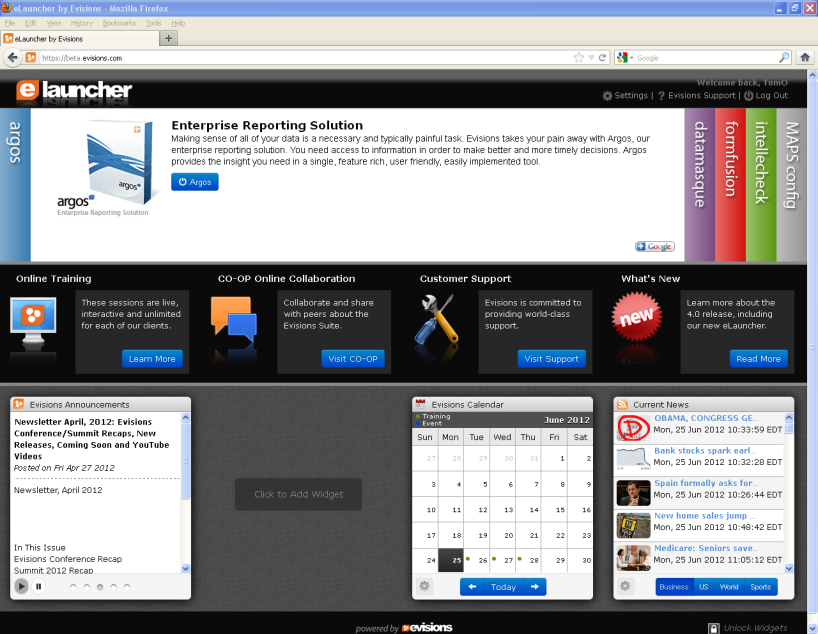
The Product Launch page shown in the figure above contains the following improvements:
- Application login on the Launch page which eliminates the need to log in to applications individually.
- Direct access to Evisions Training, CO-OP and Support
- Availability of widgets (located at lower section of Launch Screen) providing access to Evisions resources, web pages, RSS feeds, etc. Built-in widgets include:
- Evisions announcements
- Calendar (displaying Evisions training events)
- Evisions CO-OP Dashboard (displays the most recent additions to the CO-OP Share)
- Current News (configurable RSS feed from multiple sources)
- Documentation (Link to the Documentation and Software page in the Evisions website)
- Evisions CO-OP Forums (provides access to the Evisions CO-OP Forums)
- Evisions HelpDesk (provides access to your HelpDesk tickets)
- Stock Ticker
- Weather
- Improved Universal Launcher that uses Java technology to easily deploy software to client computers with minimal configuration